
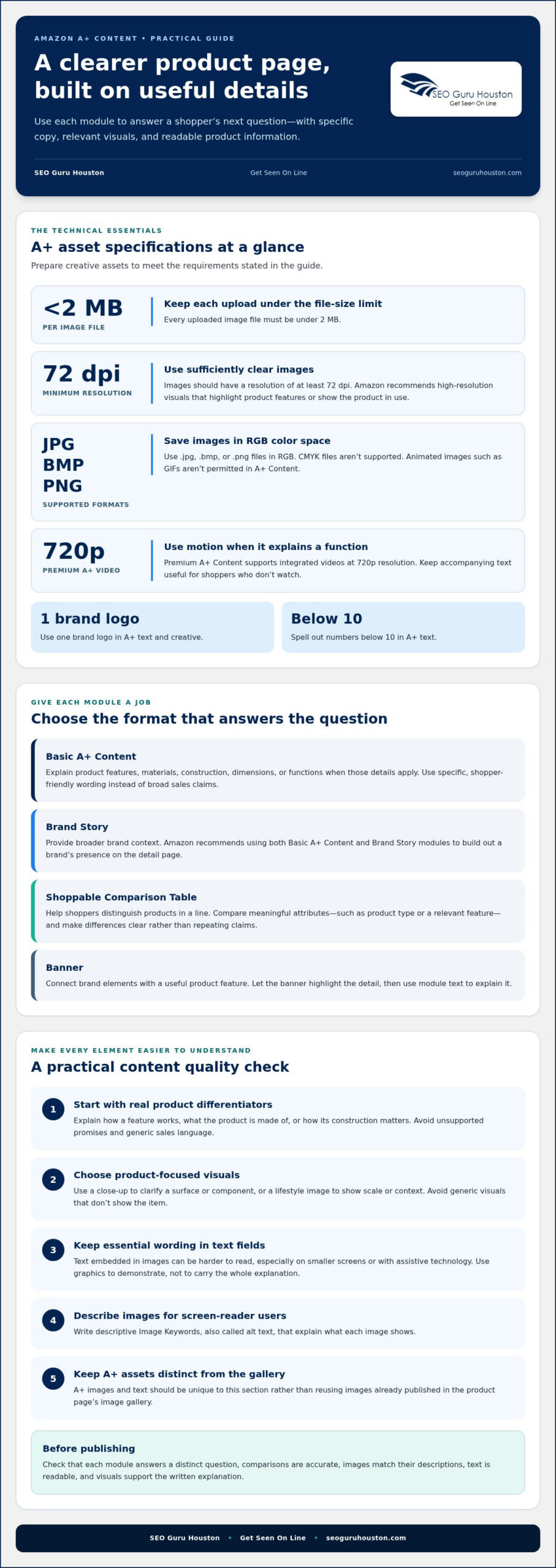
Helpful A+ pages make product details easier to understand, not harder to find. The most effective Amazon A+ content best practices are to explain features in specific, customer-friendly language, use clear product-focused images, and place key information in text fields rather than burying it in graphics. Each uploaded image file must be under 2 MB.
It’s easy to focus on polished visuals and overlook the questions shoppers need answered: how a product is made, what a feature does, or how options compare. A+ Content works best when each image and module clarifies a specific detail instead of repeating the listing or adding generic sales copy.
This guide explains how to choose useful modules, organize product information, prepare images and alt text, and make comparisons easy to scan. You’ll find practical ways to create product pages that communicate clearly and help shoppers make informed decisions.
Key Takeaways
- Explain product features and construction in specific, shopper-friendly language instead of relying on broad sales claims.
- Choose product-focused images that clarify details, and keep each uploaded image file under 2 MB.
- Use module text fields for key information, and write descriptive image text to support shoppers using screen readers.
- Consider a comparison table to help customers understand differences across your product line.
- Review how Amazon marketing and SEO can work together to strengthen product-page visibility and usefulness.
Amazon a+ content best practices
Amazon A+ Content lets registered brand owners add storytelling, enhanced product images, and customized text placements to product detail pages. Treat each module as an answer to a shopper’s next question, not another advertisement. Effective Amazon A+ content best practices start with identifying product questions, then matching each answer to the clearest text or visual format.
Start with the product’s real differentiators. Explain its materials, construction, dimensions, or functions when those details apply. For example, replace “built for convenience” with a clear explanation of how a feature works. Friendly, informative wording helps shoppers understand the product without broad sales claims or unsupported promises.
Choose modules with distinct purposes. Amazon recommends using both Basic A+ Content and Brand Story modules to build out a brand’s presence on the detail page. Basic A+ can explain product features; Brand Story can provide broader brand context. A banner can pair brand elements with a product feature, while module text gives shoppers details they can read and scan.
Use the shoppable Comparison Table when customers need to distinguish products in a line. Compare meaningful attributes, such as product type or a relevant feature, rather than filling columns with repeated claims. Make each comparison clear enough to support a decision. If products serve different purposes, spell out those differences instead of suggesting one option suits everyone.
Prepare creative assets to meet Amazon’s stated technical requirements before uploading:
- Keep every image file under 2 MB, with a resolution of at least 72 dpi.
- Use .jpg, .bmp, or .png files in RGB color space; CMYK files aren’t supported.
- Leave out animated images such as GIFs, which aren’t permitted in A+ Content.
- Use one brand logo, and spell out numbers below 10 in A+ text.
- Write descriptive Image Keywords, also called alt text, that explain each image for screen-reader users.
Make every image count. Amazon recommends high-resolution visuals that highlight product features or show the product in use. A close-up can clarify a surface or component; a lifestyle image can demonstrate scale or context. Avoid generic visuals that don’t show the item. Keep A+ images and text unique to this section rather than reusing gallery images.
Put essential wording in module text fields. Text embedded in an image may be harder to read, especially on smaller screens or for customers using assistive technology. Use graphics to demonstrate, not to carry the entire explanation. For example, pair a labeled product detail with a text module explaining what it does and why it may matter to a shopper.
Premium A+ Content supports integrated videos at 720p resolution. Use video when motion can clarify a product function or demonstrate how a feature works. Keep the accompanying text useful for shoppers who don’t watch. Video should add an explanation, not replace product details that customers need to compare options or understand the item.
Before publishing, review the page from a shopper’s perspective. Check that each module answers a distinct question, comparisons are accurate, and images match their descriptions. Confirm the text is readable and the visuals support the written explanation. These steps turn A+ modules into a coherent product guide rather than a collection of disconnected brand assets.
Give every module a clear role in answering likely shopper questions. Amazon recommends using banner images to highlight product features and brand elements in A+ Content, so choose a banner that connects the brand presentation to a useful product detail. Explain product features and construction specifically, using helpful, friendly language instead of general sales-focused text. Keep the wording focused on the product and how its features work, so shoppers can assess the information without relying on broad promotional language. For product lines with alternatives, Amazon recommends the shoppable Comparison Table module to highlight features and help customers make purchase decisions. Use the table to make distinctions easy to understand, not to repeat claims.
Creative choices and file preparation also affect how clearly the page communicates. Amazon recommends high-resolution images that highlight product features or show the product in use, and advises avoiding generic images that do not showcase the product. Choose visuals that directly support the accompanying explanation, then check the supported file formats: Amazon A+ Content supports .jpg, .bmp, and .png image files in RGB color space; CMYK color space is not supported. Keep the A+ presentation distinct from the gallery: Amazon A+ images and text must be unique to A+ and should not reuse images already published in the product page’s image gallery. Distinct copy and relevant visuals give each module a clear purpose on the detail page.
SEO Guru Houston: Houston SEO Services
SEO Guru Houston offers Amazon Services to help businesses align product-page content with a broader marketing strategy. Turn to this support when aligning listing content with product positioning, brand messaging, and customer discovery across channels. Clear A+ modules can explain product value, while a coordinated strategy helps keep messaging consistent wherever shoppers encounter the brand.
Comprehensive digital marketing services can support search visibility beyond Amazon, while targeted PPC services and inbound marketing strategies address other parts of the digital customer journey. The right mix depends on your goals, audience, and existing marketing activity. Start by identifying where your product information is unclear or disconnected, then define what your Amazon presence needs to accomplish.
Contact SEO Guru Houston to discuss your Amazon marketing needs and implement proven amazon a+ content best practices for your brand.
Turn Clear Product Pages Into a Stronger Strategy
Treat each product page as part of a larger customer journey. Use shopper questions and product feedback to guide future updates, then keep the language and positioning consistent wherever customers discover your brand. Amazon A+ content best practices are most useful when the page supports a clear business goal, not just a visual refresh.
SEO Guru Houston offers Houston SEO Services, Houston PPC Services, and Houston B2B Marketing. These services can support businesses working to connect product marketing with broader search, advertising, or business-to-business goals. The right focus starts with understanding which audience you need to reach and what you want your digital marketing to accomplish.
Ready to discuss how Amazon marketing fits into your broader strategy? Contact SEO Guru Houston to explore a practical next step for your business. Build with purpose, keep improving, and give every product page a clear job to do.

